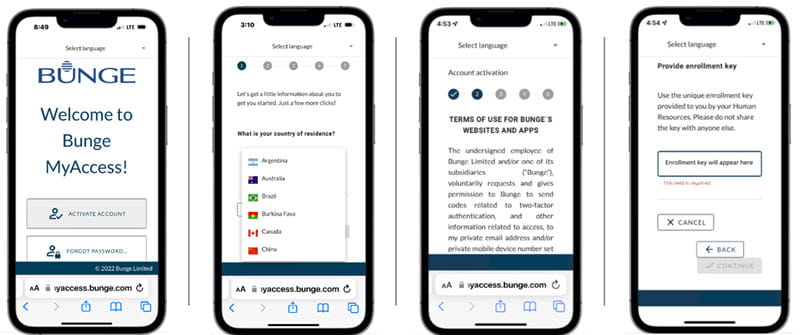
1. Select Activate Account
2. Select your country
3. Read and accept Terms and Conditions
4. Review your enrollment code and select Continue
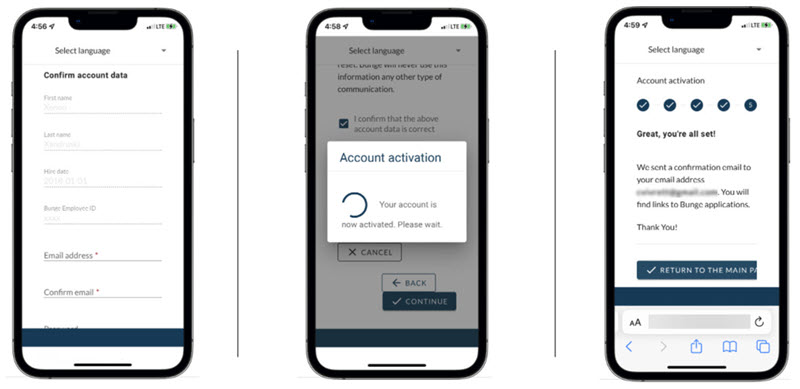
5. Enter your information
6. Your account will activate
7. Go to the email account provided in step 5 and find your confirmation email
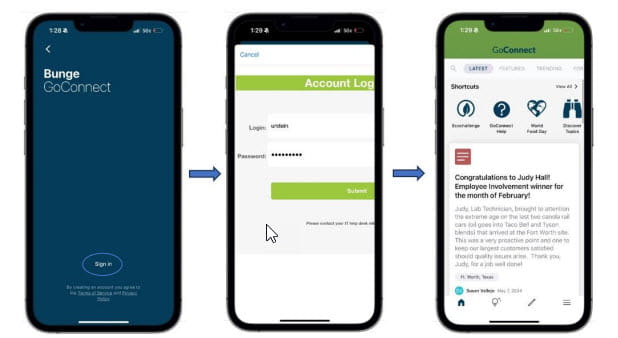
8. Download GoConnect and select Sign in
9. Enter the User ID and password you just set up through MyAccess
10. Enjoy GoConnect!
Having issues? [email protected]